RapiDesq Features

Everything your customer support team needs to deliver fast, organized, and personal service — all in one AI-powered contact center platform.

Omnichannel Inbox

Every conversation from every channel lands in one unified inbox. Whether a customer reaches out through live chat, sends an email, or submits a web form, your agents see it in the same view with the same tools. Each conversation is automatically created as a ticket and tracked through a clear lifecycle from new through resolved. AI-powered sentiment analysis tags every conversation as positive, neutral, or negative so your team can spot frustrated customers at a glance, while urgency scoring helps agents prioritize the conversations that need attention first.

  • Single view for chat, email, and web form conversations with real-time updates as messages arrive
  • Custom ticket ID prefixes per team — give support tickets IDs like "SUP-1234" and billing tickets "BIL-5678" for instant recognition
  • AI sentiment analysis and urgency scoring on every conversation to surface what matters most
  • Tags and custom fields for organizing conversations however your team works

Embeddable Chat Widget

Add a fully branded live chat experience to any website with a single snippet. The widget is deeply customizable so it feels native to your site, not bolted on. Choose where it appears, set your brand color, enable dark mode, and control behaviors like auto-open delay, typing indicators, agent avatar display, file uploads, and the emoji picker. Set a conversation reopen window so returning visitors pick up where they left off. For logged-in customers, identity authentication verifies who they are before the first message so agents know they're talking to a real, authenticated user.

  • Pre-chat forms with six field types (text, email, phone, long-form, dropdown, numeric) plus custom validation to collect the right information before a conversation starts
  • Domain restrictions prevent unauthorized embedding — the widget only loads on the domains you approve
  • Business hours awareness with configurable offline messages — visitors see when your team is available and get a custom message when they're not
  • Assign a conversation flow to handle the initial interaction automatically — swap flows without changing embed code

Email Integration

Connect Gmail or Microsoft 365 mailboxes securely — no app passwords, no credentials stored in plain text. Tokens are encrypted and automatically renewed so your connection never silently drops. Inbound emails arrive in real time through push notifications. When an email arrives, RapiDesq creates a ticket, matches or creates the contact, and maintains threaded conversations so replies stay grouped correctly.

  • Delivery status tracking per message so you always know if the customer received your reply
  • Route inbound emails directly to specific teams or through conversation flows for automated triage
  • Automatic contact matching and creation — new senders become contacts, returning senders are linked to their existing record
  • Connection health monitoring so integration issues surface before they become outages

Web Forms

Build structured intake forms for your website that create tickets automatically when submitted. Web forms use the same flexible field system as the chat widget — six field types so your team manages one consistent set of building blocks. Each field supports required/optional toggling, validation patterns, placeholder text, help text, and display ordering. Fields are organized into categories — core, e-commerce, B2B, support, and custom — so you can quickly assemble forms for different use cases.

  • Submissions create tickets with full field mapping — every answer is captured and attached to the ticket record
  • Route form submissions to specific teams or through conversation flows for automated handling
  • Domain restrictions and dark mode support — forms embed securely and match your site's look
  • Business hours awareness with a configurable offline message when your team is unavailable

Fully Configurable AI Customer Bots

RapiDesq's AI bots handle real multi-turn conversations with your customers, grounded in your knowledge base and bounded by guardrails you control. Each bot resolves straightforward requests end-to-end, asks follow-up questions when it needs more context, and hands off to a human with full conversation context when escalation is the right move. Unlike scripted flows, bots can reason about what a customer is asking and respond appropriately — and unlike generic LLM deployments, they stay on topic, protect customer data, and cite their sources.

Every aspect of each bot is under your control: you configure the instructions, knowledge base scope, topic restrictions, escalation conditions, tone, and guardrails. Run different bots for different teams, widgets, or use cases — a billing support bot with one configuration, a technical support bot with another, an onboarding bot for new users with a third. Not a black box. Not a one-size-fits-all assistant.

  • Fully configurable per bot — set the instructions, knowledge base scope, topic restrictions, escalation conditions, tone, and guardrails for each bot independently
  • Knowledge-grounded answers — each bot searches your uploaded documentation and grounds every response in your content, citing sources so customers can verify
  • Built-in guardrails — topic restrictions keep each bot on-brand, personal information is masked before it reaches the model, and prompt injection attempts are detected and blocked
  • Multiple bots per tenant — run separate configurations for different teams, widgets, languages, or use cases without duplicating your whole setup
  • Seamless human handoff — when escalation happens, the agent sees the full conversation plus a summary of what the bot tried and why it handed off
  • Clear AI disclosure — customers always know when they're talking to a bot, with a visible, non-removable badge on every automated message
  • Multi-provider resilience — RapiDesq runs on multiple AI providers with automatic failover, so bot conversations keep working even when one provider has an outage
  • Transparent credit-based usage — AI runs on credits you can see and control, with included credits per plan, top-up purchases, and auto-refill with a monthly cap you set

Knowledge Base

Upload your documentation, policies, product guides, and internal runbooks to give your AI bots — and your agents — a single source of truth. The knowledge base supports text documents, PDFs, and other common formats, organized into collections you control. Different bots can be scoped to different collections, so a billing bot only searches billing docs and a technical support bot only searches technical docs. Agents can browse the same articles from their workspace when they need a quick reference. Update a document once and every future conversation benefits from the correction.

  • Upload documentation in common formats — organize into collections for different topics, products, or teams
  • Bot responses cite the source articles they're based on, so customers can verify and agents can audit
  • Quality feedback loops — thumbs up and thumbs down on bot responses surface content gaps so you know what to add next
  • Update once, benefit everywhere — correct a policy in the knowledge base and every future conversation reflects the change

Visual Conversation Flows

Design multi-step conversation automations in a visual drag-and-drop builder. Flows let you greet customers, collect information, make decisions based on their answers, hand off to the AI bot or a live agent, and call external systems — all without writing code. Each flow supports versioning with draft and published states, so you can iterate safely and promote changes when you're ready. Flows attach to chat widgets and web forms and can be swapped without touching embed code, so your automation strategy evolves independently from your website deployments.

  • Messaging and input nodes — send text, ask questions, and present multi-field forms inside the chat itself
  • AI nodes — hand off to an AI bot for free-form dialogue, run AI analysis on conversation content, or generate ticket summaries automatically
  • Logic and routing — conditional branches for if/then decisions, schedule-aware branches that check business hours, route to live agents, and store values for later steps
  • Integration nodes — call external systems, update ticket fields, notify users internally, and compose reusable subflows

Ticket Management

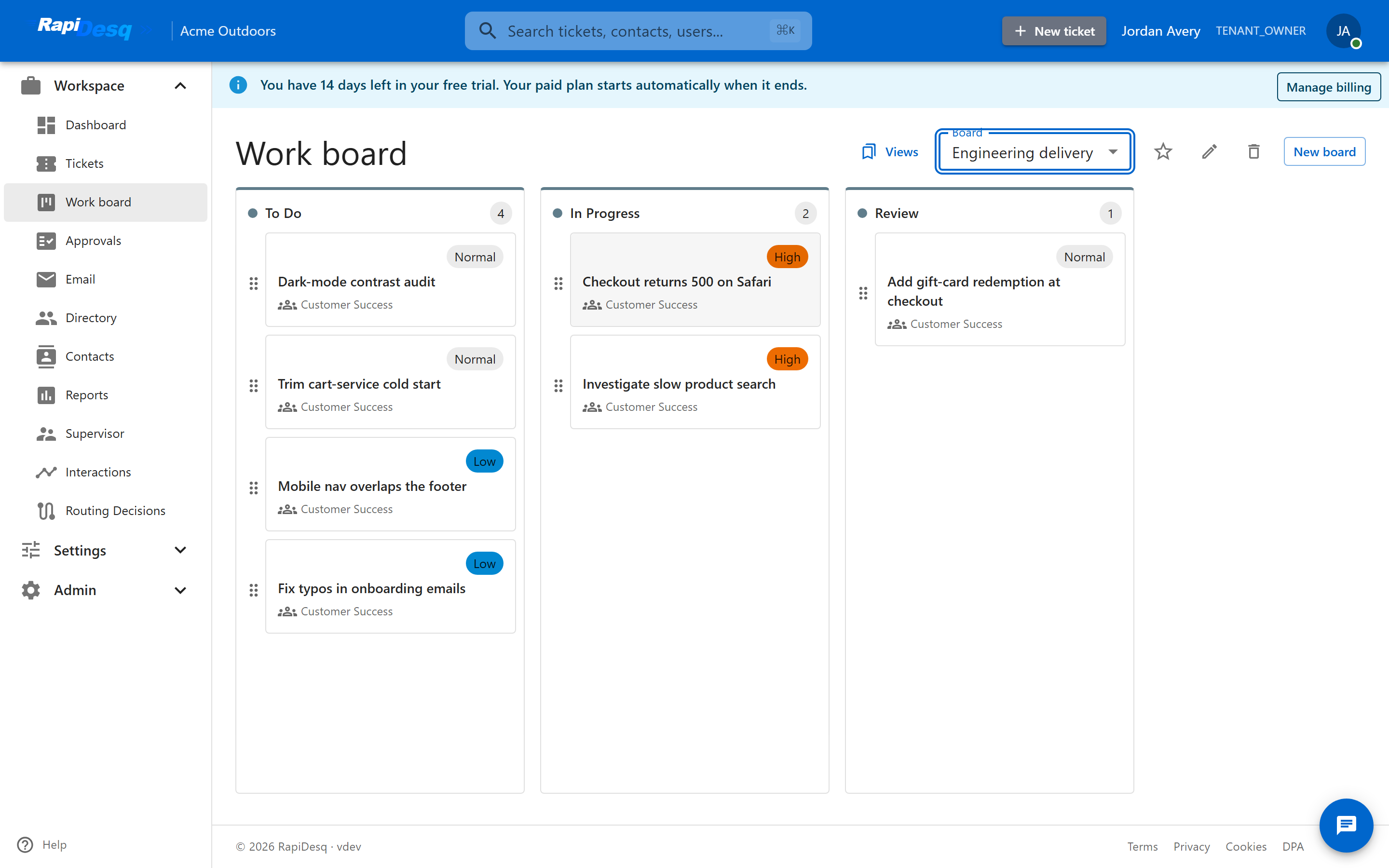
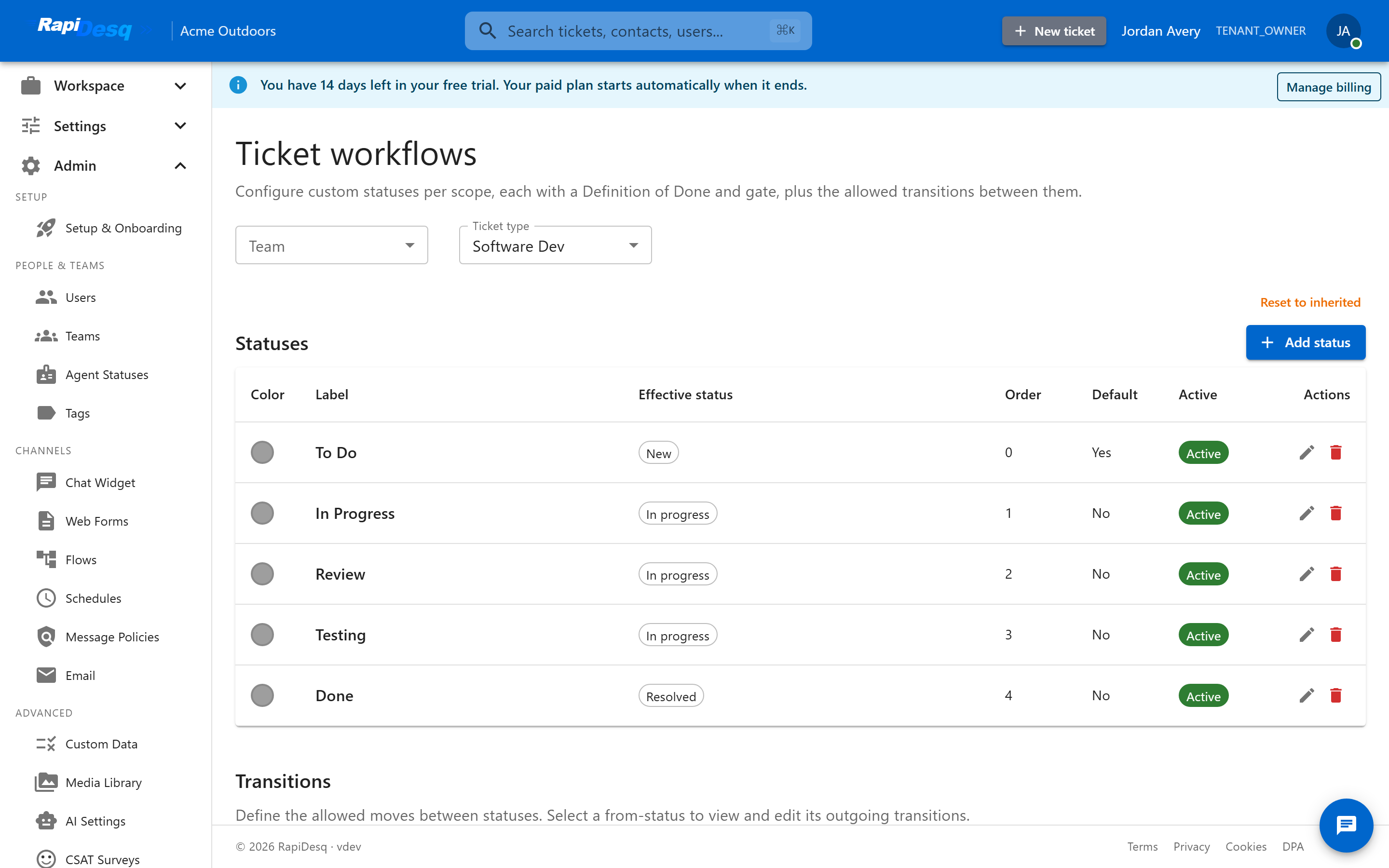
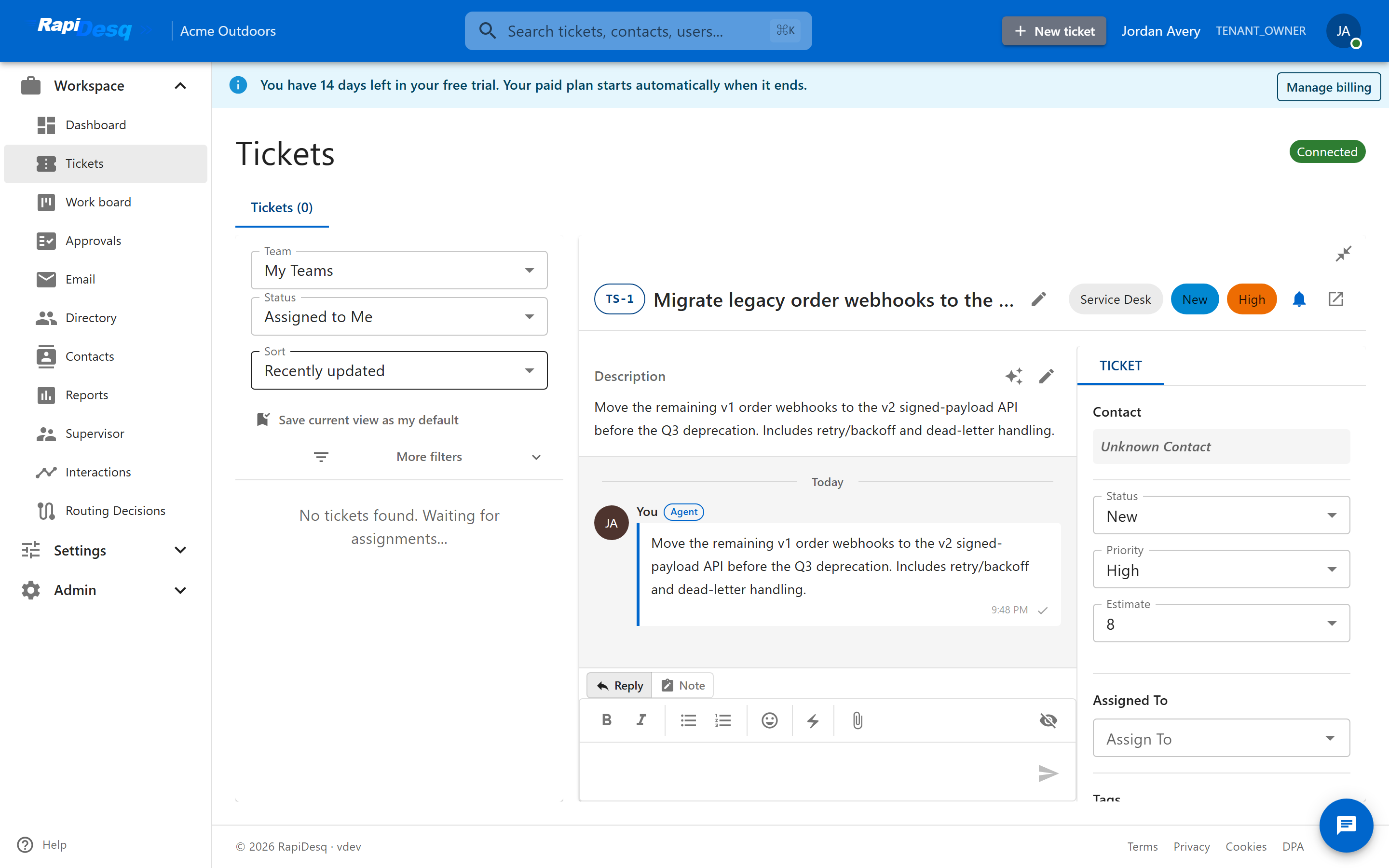
Every customer interaction becomes a ticket with a full lifecycle. Tickets move through a clear set of statuses — new, assigned, in progress, waiting, resolved, closed — with four priority levels (low, normal, high, urgent) that work together with AI urgency scoring to keep your queue ordered correctly. Internal notes live in a separate thread that is never visible to customers, so agents can collaborate on a ticket without worrying about what the customer sees. AI analysis extracts key points from conversations and generates ticket summaries automatically, giving agents context without reading entire transcripts.

  • Custom fields for tenant-specific data — add whatever structured information your workflow requires without engineering changes
  • Performance metrics tracked per ticket — first response time, resolution time, closure reason, and who closed it
  • Tags for categorization and filtering — combine with custom fields and priorities for powerful queue views
  • Custom ticket ID prefixes configurable per team for instant visual identification across your organization

Smart Routing & Queue Overflow

RapiDesq combines five agent selection strategies with four ticket queue strategies so the right work reaches the right person. Agent selection decides who gets the next offer — broadcast to everyone, round robin for even distribution, fewest active for load balancing, longest idle for fairness, or skill match for expertise-based routing. Ticket selection controls queue order — first in first out, priority first, SLA breach urgency, or round robin across contacts so no single customer monopolizes your agents. When queues fill up or hours end, overflow rules take over — trigger a specific flow, route to a fallback team, or present alternatives so no conversation ever falls through the cracks.

  • Chat offers with configurable timeout — agents see an offer and can accept or decline before it moves to the next candidate
  • Combine agent and ticket strategies per team — a billing team might use skill match with priority-first while general support uses fewest active with first-in-first-out
  • Queue overflow handling — when a queue is full, trigger a specific flow, reroute to a fallback team, or offer the customer alternatives
  • After-hours routing — dedicated schedule-based routing so customers who arrive outside business hours get a tailored experience instead of a generic "we're closed" message
  • SLA-aware routing — tickets approaching their deadline are surfaced before older but less time-sensitive requests

Real-Time Supervisor Dashboard

Supervisors see queue depth, agent availability, and active bot conversations across all their teams at a glance. Updates push instantly — no refreshing, no stale data, no guessing whether the numbers are from a minute ago or an hour ago. Drill into any team to see pending chat offers, customers waiting in the queue, active conversations in progress, and what the AI bot is currently handling. When something needs intervention, supervisors can reassign conversations, step in directly, or adjust routing on the fly.

  • Real-time push updates — the dashboard reflects what's happening right now, with no polling delays
  • Multi-team aggregate view — see every team you oversee in one place without tab-hopping
  • Queue breakdown — pending offers, waiting customers, and in-progress conversations broken out separately so you know where the bottleneck is
  • Bot conversation visibility — see active bot conversations, resolution rate, and which ones are on track to escalate
  • Supervisors are also agents — they can pick up conversations when queues need help, without switching roles or logging in elsewhere

File Attachments & Media

Upload and share files everywhere it matters — in chat conversations with customers, email replies, ticket attachments, internal team chat, the knowledge base, and as branding assets like logos and avatars. Every file is scanned for viruses before anyone can download it, so malicious attachments never make it to an agent or customer. Per-tenant storage keeps each organization's files fully isolated from every other tenant. For enterprises with specific compliance or data residency requirements, bring-your-own-storage lets you host files in your own cloud account.

  • File sharing in chat, email, tickets, team chat, knowledge base, and as profile avatars and branding assets
  • Automatic virus scanning — every upload is scanned before it's available for download, and anything suspicious is quarantined
  • Per-tenant isolation — your files are stored in a dedicated bucket, never mixed with another tenant's data
  • Bring your own storage — enterprise tiers can host files in your own cloud account for additional compliance and data residency control
  • Drag-drop and clipboard paste — agents can drop files into conversations or paste screenshots directly from the clipboard

Internal Team Chat

Built on the same real-time infrastructure that powers customer messaging, internal team chat gives your agents a communication tool that lives right where they work. There's no need for a separate messaging app — agents can discuss tickets, ask for help, or coordinate across teams without leaving RapiDesq. Messages are stored in the same unified conversation system as customer interactions, which means the platform's real-time delivery, persistence, and reliability apply equally to internal conversations.

  • One-to-one direct messages and group conversations with participant management for adding or removing members
  • @mentions with notifications so team members are alerted when they're specifically needed in a conversation
  • Typing indicators and per-conversation unread counts for awareness without constant checking
  • File sharing in team chat with the same virus scanning and per-tenant isolation as customer conversations

Contact Management

Contacts are created automatically from every channel — chat widget, authenticated widget, email, web form, API, webhook, import, or manual entry — so your customer database grows naturally as people interact with your team. Each contact supports custom fields for whatever additional data your organization tracks. Email-based deduplication within each tenant prevents the same person from appearing multiple times, and when duplicates do occur, contact merge transfers all conversation history to the surviving record.

  • Automatic creation from every source ensures no customer interaction goes unrecorded
  • Contact merge with full history transfer — all past conversations, tickets, and data move to the surviving record
  • Identity authentication for verified users so agents know when a contact has been positively identified
  • Compliance-friendly retention — records are preserved through configurable retention periods and erased on request

Reporting & Analytics

Six built-in report types cover the metrics that matter for running a support operation: agent performance, team summary, queue analytics, SLA compliance, conversation volume, and customer satisfaction. Data is rolled up hourly, daily, and monthly so reports load quickly whether you're reviewing yesterday or the past quarter. Custom dashboards let supervisors save the views they use most with persistent filters. AI analytics break down bot resolution rates, credit usage by feature, topic performance, and return on investment so you can see whether automation is actually delivering.

  • Conversation metrics — started, resolved, abandoned, and transferred counts plus messages in and out
  • Timing metrics — average first response time, average resolution time, and average wait time
  • Agent utilization, peak and average queue depth, SLA compliance percentage, breach count
  • AI analytics — bot resolution rate, credit usage by feature, topic performance, per-conversation metadata including sentiment and sources
  • CSAT surveys — automatic post-conversation surveys, score tracking across all report types

Enterprise Security

Access control is permission-based, not role-based — permissions are what gate access, and roles are a convenient way to group them. Six role levels (System Admin, Tenant Owner, Tenant Admin, Supervisor, Agent, Internal User) provide a starting point, and permissions can be fine-tuned per user for least-privilege access. Messages are encrypted at rest with AES-256 using per-tenant encryption, so one tenant's data is never decryptable with another tenant's keys. A comprehensive audit log records every significant action. Services communicate over mutual TLS so internal traffic is authenticated and encrypted end-to-end.

  • Permission-based access control — authorization checks validate specific permissions, never role names
  • AES-256 encryption at rest with per-tenant isolation
  • Mutual TLS between services for authenticated, encrypted internal traffic
  • Audit logging captures who did what, to which entity, and what changed
  • SSO via OIDC and SAML with domain-based identity provider auto-detection and just-in-time user provisioning
  • GDPR support — data export, right to erasure, configurable retention with legal holds, compliance-friendly deletion

Multi-Region Data Residency

Data residency shouldn't be an enterprise-only afterthought. At signup, you choose the region where your tenant lives, and your data — conversations, tickets, contacts, files, audit logs — stays there. A global control plane handles the parts that need to be global (signup, billing, system administration) while each regional data plane is fully independent. That means data sovereignty compliance is a configuration choice, not a migration project, and adding new regions is a configuration change rather than an architecture overhaul.

  • Choose your region at signup — your data stays in that region for its entire lifetime
  • Independent regional data planes — a region's data never crosses a border without explicit authorization
  • Single global login experience — one account, region-aware routing, no information leakage about where other tenants live
  • GDPR-ready by design — data subject rights, cross-border transfer controls, and per-region retention policies

Employee Portal for Internal Support

The employee portal gives internal users — employees, contractors, or anyone with the internal user role — a focused interface for submitting and tracking their own support requests without needing access to the full agent workspace. This makes RapiDesq usable as an internal IT helpdesk, HR request tracker, or facilities support system alongside its primary use as a customer-facing contact center. Internal users log in with permissions scoped to their own tickets and conversations. They can submit new tickets, check the status of existing ones, participate in internal team chat, and access dashboards if configured by an administrator. This keeps the agent workspace uncluttered while giving the people your team supports a direct line to help.

  • Self-service ticket submission and real-time status tracking without agent workspace access
  • Internal team chat access so portal users can communicate directly with support staff
  • Permission-scoped access — internal users only see their own data and any dashboards an administrator explicitly shares

Ready to Transform Your Support?

All these features, one platform. RapiDesq is built for teams that care about great customer experiences.

Coming Soon