CSAT Surveys & Customer Feedback
Customer satisfaction surveys close the loop on every conversation — asking customers to rate the experience and optionally share feedback. RapiDesq ties each score to the specific ticket, user, and team, rolls results into reporting, and can trigger follow-up actions automatically when a score is low. This guide covers configuring surveys, choosing rating scales and timing, channel delivery, low-score follow-ups, reporting, and best practices for getting useful, actionable feedback.
Overview
CSAT in RapiDesq is:
- Conversation-triggered. Surveys are sent when a conversation resolves or its ticket closes, not at random intervals. Each score is tied to the specific ticket, user, and interaction, so you know exactly what it reflects. One survey is sent per resolved conversation, and each survey accepts exactly one response.
- Scoped. Survey configurations can apply account-wide, to a team, to a channel, or to a ticket type — and the most specific matching configuration wins.
- Scale-independent in reporting. Whatever scale a survey uses, every rating is normalized to a 0–100 score internally, so thresholds and cross-team comparisons work even when teams use different scales.
- Actionable. Negative responses can automatically notify a supervisor, reopen the ticket, send an apology email, or tag the ticket for QA review.
Configuring Surveys
Navigate to Admin > CSAT Surveys to configure surveys. You can create multiple survey configurations, each with a name, an active toggle, and its own scale, timing, comment, and follow-up settings.
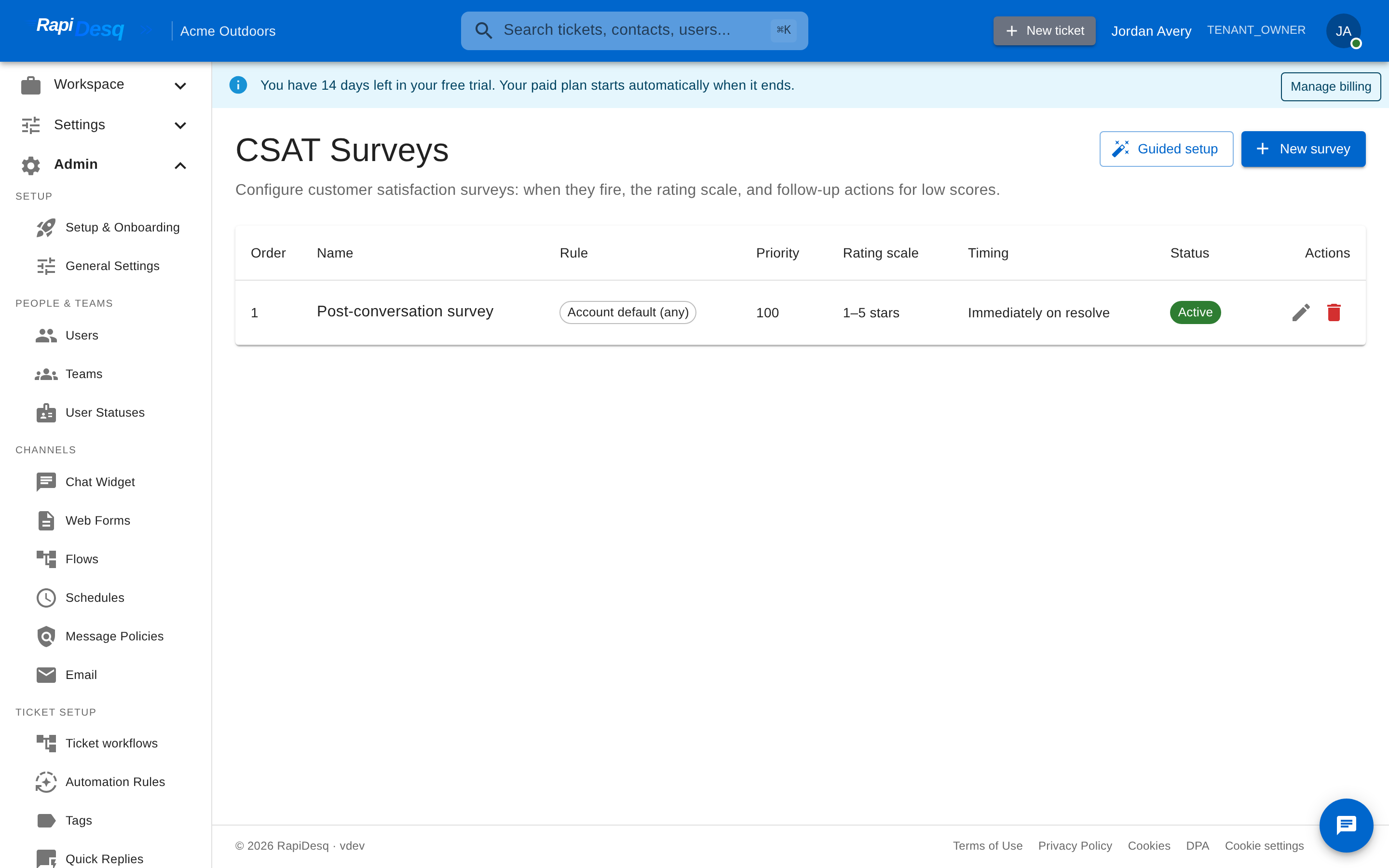 Admin > CSAT Surveys: each configuration defines when surveys fire, the rating scale, and follow-up actions for low scores.
Scoping: which survey applies
Each configuration declares what it applies to:
- Account default — the fallback for every conversation.
- Team — applies to tickets handled by a specific team.
- Channel — applies to conversations on a specific channel.
- Ticket type — applies to tickets of a named type.
When a conversation resolves, RapiDesq picks the most specific active configuration that matches: ticket type beats channel, which beats team, which beats the account default. This lets you run a quick thumbs survey account-wide while your enterprise-support team uses a five-star survey with stricter follow-ups.
Rating scales
Three rating scales are supported:
- Thumbs up / down — binary rating. Fast for the customer, clearest signal, hardest to extract nuance from. Good default for chat where speed matters.
- 1–5 stars — familiar and expressive. The industry standard for most support surveys. Good balance between customer effort and signal quality.
- 0–10 scale — the most granular option, at slightly more customer effort.
Every rating is normalized to a 0–100 score internally. Different teams can use different scales and their results remain directly comparable in reporting, and the negative threshold (below) works identically regardless of scale.
Negative threshold
Each configuration sets a negative threshold on the normalized 0–100 scale. Responses at or below the threshold count as negative — this drives both the comment behavior and the low-score follow-up actions.
Comment collection
After the rating, customers can optionally leave a comment. Four modes are available:
- No comment — the survey collects only the rating.
- Always ask for a comment — every respondent sees a comment field after rating.
- Ask on negative — only customers whose rating falls at or below the negative threshold are asked. Useful for understanding what went wrong without asking happy customers to type.
- Required on negative — commenting is mandatory for negative ratings. Gives you the "why" automatically on every negative response.
Survey timing
Decide when surveys are delivered relative to the conversation:
- Immediately on resolve — the most common choice for chat. The customer's memory of the interaction is fresh.
- After a delay — a configurable delay in seconds, useful when the "resolution" is something the customer needs to verify before rating (e.g., a configuration change they need to test).
- On close — for tickets that have a meaningful gap between resolved and closed, send the survey at close.
Channel Delivery
Chat
Chat surveys appear inline within the widget when the conversation ends — the customer sees the rating prompt in the same conversation thread they've been using and responds without leaving the widget. This is typically the highest-response-rate channel because the customer is already engaged.
Email surveys are sent as a separate email after the conversation resolves, with one-click rating links. Clicking a rating records the score on a hosted survey page where the customer can also add a comment. Survey emails are localized in all supported languages.
Web forms
Web form submissions receive the same email survey after the resulting ticket is resolved, using the email address captured in the form.
Bot-handled conversations
When the AI bot resolves a conversation without human escalation — including deflections that never created a ticket — a survey is still sent, and the score is attributed to the bot rather than to any agent. This gives you a true measure of whether the bot is actually helping. Bot-attributed CSAT appears in AI analytics alongside — but clearly separated from — the bot's own thumbs-up/down feedback estimate, which is labelled as an estimate.
Low-Score Follow-Up Actions
A low CSAT score is a signal that something went wrong. Each survey configuration has a set of follow-up actions taken automatically when a response is negative (at or below the negative threshold):
- Notify the supervisor — alert the team's supervisor so they can review the conversation and decide whether to reach out.
- Reopen the ticket — a negative score indicates the customer wasn't actually satisfied; the ticket goes back to the team for follow-up.
- Send apology email — an automatic apology email referencing the conversation.
- Tag the ticket for QA review — applies a QA tag (you choose the tag name, e.g.
csat-review) so the ticket surfaces in quality reviews.
Each action is an independent toggle per survey configuration. Low-score follow-up is one of the highest-leverage uses of CSAT data: customers who leave negative feedback and then receive a thoughtful follow-up often become more loyal than customers who never had a problem in the first place.
Reporting on CSAT
CSAT data surfaces in several places:
- CSAT Summary report — average normalized score, response counts, and trend over time.
- Score distribution — responses bucketed into five bands across the 0–100 scale, so you can see polarization that an average hides.
- Response rate — every survey sent is counted, so reporting shows responses against invitations, not just the scores that came back.
- By team, user, and channel — CSAT metrics are dimensioned by team, user, and channel, and feed the User Performance and Team Summary reports.
- By customer attributes — CSAT averages broken down by customer tier, lifetime-value band, and contact tags, so you can see whether your most valuable customers are your happiest.
- AI Analytics — the bot-attributed CSAT slice for bot-handled conversations.
See Reporting & Dashboards for how to combine CSAT with other metrics.
Response Rates
Typical response rates in support CSAT vary by channel: in-widget chat surveys tend to substantially out-perform email surveys because the customer is already engaged when the prompt appears. Don't obsess over getting every customer to rate; focus on making it easy and quick for those who want to. A representative sample of motivated responses is more useful than forced full-coverage that trains customers to click whatever gets them past the prompt — and RapiDesq's response-rate reporting tells you exactly what share of surveys are coming back per team and channel.
Best Practices
- Start simple. A thumbs up/down survey with comments on negative ratings is often all you need. You can add granularity later if the binary signal proves insufficient — and because all scales normalize to 0–100, switching scales doesn't break your reporting history.
- Make negative feedback actionable. Configure low-score follow-up actions from day one. Unacted-on negative CSAT is worse than no CSAT — you collected the signal but did nothing with it.
- Scope deliberately. Use the account default as your baseline and add team, channel, or ticket-type configurations only where the context genuinely differs. Remember the most specific match wins.
- Review comments weekly. The rating is the metric; the comments are the diagnostic. Read them, look for patterns, share the ones that teach something with the team.
- Use CSAT trends, not snapshots. Last week's average isn't as informative as the trend over the past quarter. Customers' expectations change; so should your baseline.
- Share positive feedback with users. CSAT data is often used for accountability, which makes it feel negative. Balance by surfacing the specific praise customers leave for users who did well. It's the cheapest recognition program you'll ever run.
- Don't gamify. Pressuring users to hit a specific CSAT score is how you get users gaming the system — prematurely closing tickets, discouraging survey responses, or pleading with customers for good ratings. Use CSAT as a signal, not a target.
Related Topics
- Reporting & Dashboards — where CSAT data surfaces in reports and dashboards.
- AI Bot Configuration — CSAT for bot-handled conversations and the AI analytics view.
- Ticket Management — how CSAT ties to ticket resolution, reopening, and tagging.