Quick Replies
Quick replies are pre-written text snippets that users insert into conversations with a click—greetings, troubleshooting steps, policy explanations, sign-offs. They keep messaging consistent across the team and save users from retyping the same answers all day. Manage them from Admin > Quick Replies.
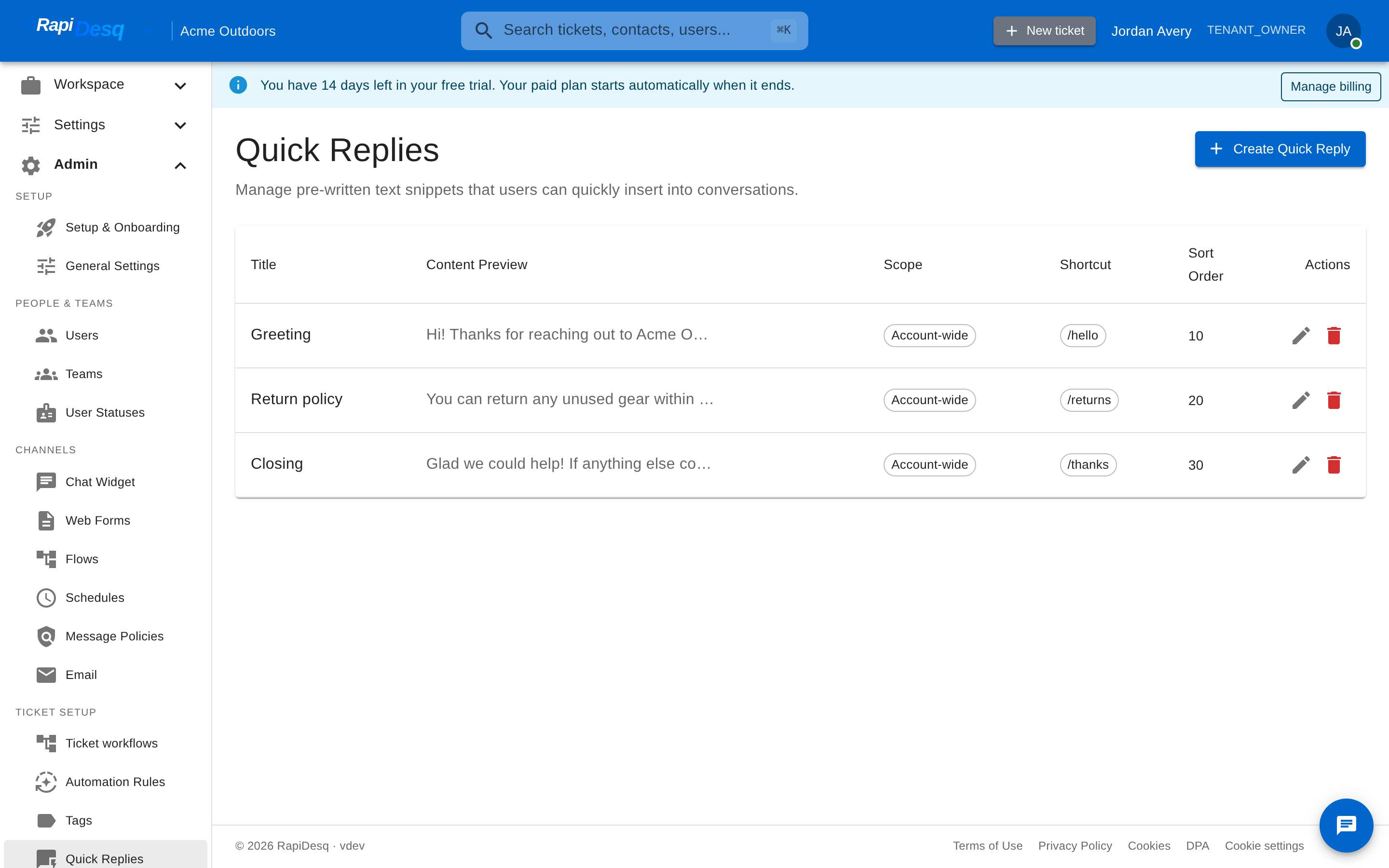 The Quick Replies page: each reply shows its title, a content preview, scope, shortcut, and sort order.
Creating a Quick Reply
- Navigate to Admin > Quick Replies.
- Click Create Quick Reply.
- Configure the fields below and click Create.
| Field | Description |
|---|---|
| Title | The name users see when browsing and searching for replies. |
| Content | The message itself, written in a rich-text editor—formatting like bold, lists, and links is preserved when the reply is inserted. |
| Scope | Choose Account-wide (available to everyone) or Team (visible only to members of the selected team). Team scoping keeps specialized responses—like billing policy language—out of other teams' pickers. |
| Shortcut | An optional slash-command shortcut—for example, greet appears as /greet. Users can type the shortcut into the picker's search box to jump straight to the reply. |
| Sort Order | Controls where the reply appears in the picker—lower numbers list first. Put your most-used replies at the top. |
How Users Use Quick Replies
In the message composer, users click the quick reply (lightning bolt) button to open the picker. They can browse replies—grouped into account-wide and team sections—or filter instantly by typing part of a title or shortcut. Selecting a reply inserts its content at the cursor, where the user can personalize it before sending.
Today, quick replies are static text—there is no variable templating, so a reply cannot automatically fill in the customer's name or ticket details. Write replies so they read well as-is, and leave natural spots for users to personalize after inserting.
Give your highest-traffic replies short, memorable shortcuts (/greet, /refund, /close) and low sort-order numbers. A reply users can reach in one keystroke gets used; one buried at the bottom of a long list does not.
Related Topics
- Ticket Management — the user workspace where quick replies are inserted into conversations.
- Team Management — creating the teams that team-scoped replies are limited to.
- Tags — another shared library for keeping team workflows consistent.